Drone registration in Australia: who needs it, what it costs and how it works
Drone registration is one of the most misunderstood parts of Australian drone law. Some pilots assume every drone must be registered, others assume none do. The current answer from the Civil Aviation Safety Authority (CASA) sits in between, and it depends on what you use the drone for.
This guide explains who must register, what CASA says it costs, how the process works and what the penalties are. We checked the CASA pages below on 29 November 2026. Registration rules and fees have changed over the years, so confirm the details on the CASA website before you register.
Do I have to register my drone?
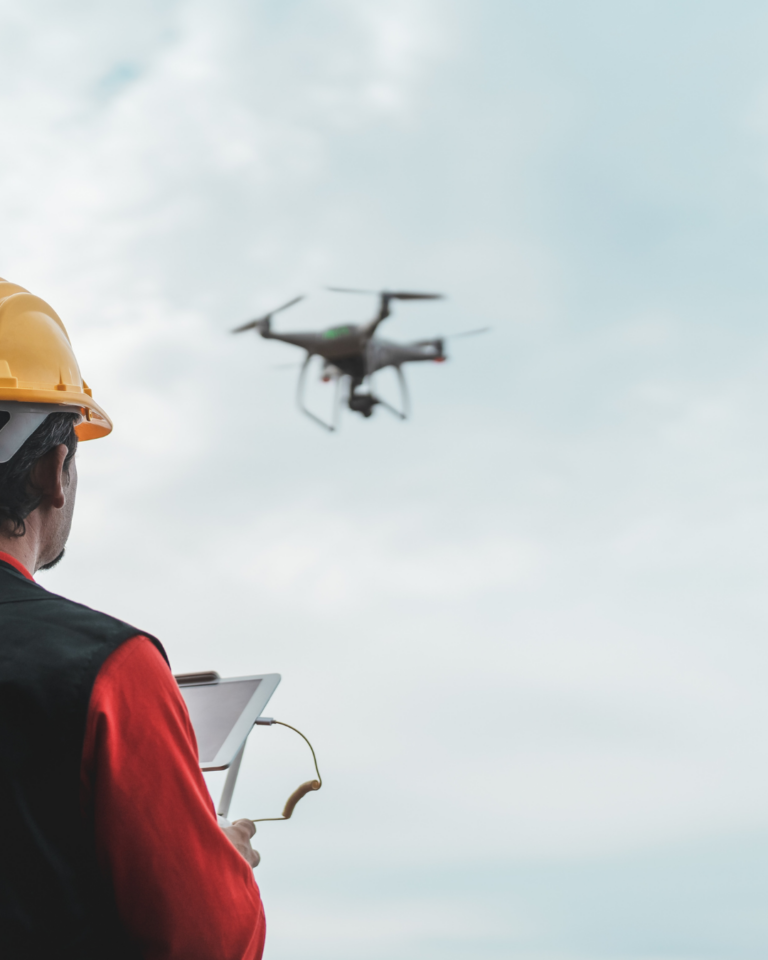
CASA’s registration requirements page says you must register any drone used for business purposes or as part of your job, no matter how much it weighs. It lists examples including selling aerial photos or videos, inspecting industrial equipment, construction sites or infrastructure, providing monitoring, surveillance or security services, conducting research and development, and any activities that are not for sport or recreation.
There are cases where you do not need to register. CASA says these include when you do not intend to fly the drone, when you are only flying for sport or recreation (including at CASA-approved model airfields), and when you are a commercial drone repairer or manufacturer, although repairers and manufacturers still need to keep records.
CASA’s drone rules for fun flyers repeat the point: you do not need to register your drone when you fly for fun, including micro drones under 250 g. So the simple version is:
- Flying for fun: no registration needed.
- Flying for work or business: registration needed, whatever the weight, including micro drones.
If you are unsure which side of the line you are on, see our guide to whether you need a drone licence, which covers the grey areas.
What does registration cost?
For drones used for business or work, CASA says you may need to pay a registration levy:
- If the drone weighs 500 g or less, registration is free.
- If it weighs more than 500 g, a $40 registration levy applies to each drone.
CASA says registration is valid for 12 months, and that in exceptional cases you may be eligible to apply for a refund of the levy. Fees can change, so treat the figures here as a snapshot of what CASA published when we checked.
Who can register?
To register a drone, CASA’s registration page says you must be at least 16 years old, have a digital identity or proof of identity, have a myCASA account and an aviation reference number (ARN), and know the drone’s make, model, serial number, weight and type.
If you run a business, CASA suggests considering an organisation ARN, which lets others in the business manage online transactions, including drone registrations, on the business’s behalf.
How to register, step by step
CASA describes the process as taking a few minutes in myCASA. In outline:
- Log in to myCASA with a Digital Identity, or with existing myCASA account details.
- Apply for an individual ARN, or link your existing one.
- Enter your personal details, such as name, address, date of birth and contact numbers.
- Provide one form of identification, such as an Australian passport, birth certificate or citizenship certificate, an ImmiCard or a foreign passport.
- Select your account type (individual or organisation), choose “drone registration”, then “begin drone registration”.
- Choose your drone’s manufacturer and model from the list. If yours is not listed, CASA says to choose “other manufacturer” or “home built” and enter the details.
- Enter the serial number. CASA suggests looking inside the battery compartment, on the warranty card, on the packaging, or in the associated app.
- Review the summary, read the declaration and complete payment, if payment applies.
If you have several drones, you can add each one to the same registration session using the add drone option.
Registration is not the same as accreditation
Registration identifies the aircraft. Operator accreditation identifies you as a pilot who understands the rules. CASA’s accreditation page says anyone flying a drone of 250 g or less, a very small drone up to 2 kg, or a small drone over your own land for business must hold an accreditation, unless they hold a RePL or a ReOC. It is free, online, valid for three years and requires an 85% score on a short quiz.
So a business operator typically needs three things: an ARN, a registered drone and an accreditation (or a licence). Our guide to the excluded category pulls these together.
What if my drone is registered overseas?
CASA’s travel page says that if your drone is registered in another country you cannot register it in Australia, but you can get permission from CASA to fly it here. It describes that as a similar process to registering and says it can be completed online through myCASA.
Penalties for flying an unregistered drone for business
CASA says drone registration is mandatory for business use. If you fly an unregistered drone for business or your job, you could face a fine of up to $18,200. You may be asked to show your certificate of registration to a CASA representative or police officer, and CASA can restrict or cancel a registration after a breach, so keep a copy on your phone.
Renewing, changing or deregistering
CASA has separate pages for renewing or modifying a registered drone and for deregistering a drone you no longer fly. Because registration lasts 12 months, set a calendar reminder a few weeks before it ends. If you sell the drone or it is lost or destroyed, follow CASA’s deregistration steps rather than simply forgetting about it.
Buying a drone with registration in mind
Drone weight matters for several rules, including the airport rules in our CASA drone rules guide. If you plan to do paid work, choose a drone with a clear manufacturer and model listed in myCASA, keep the serial number somewhere safe, and look at models that fit the weight class you want. Our guide to the best camera drones for photography discusses this from the buyer’s side.